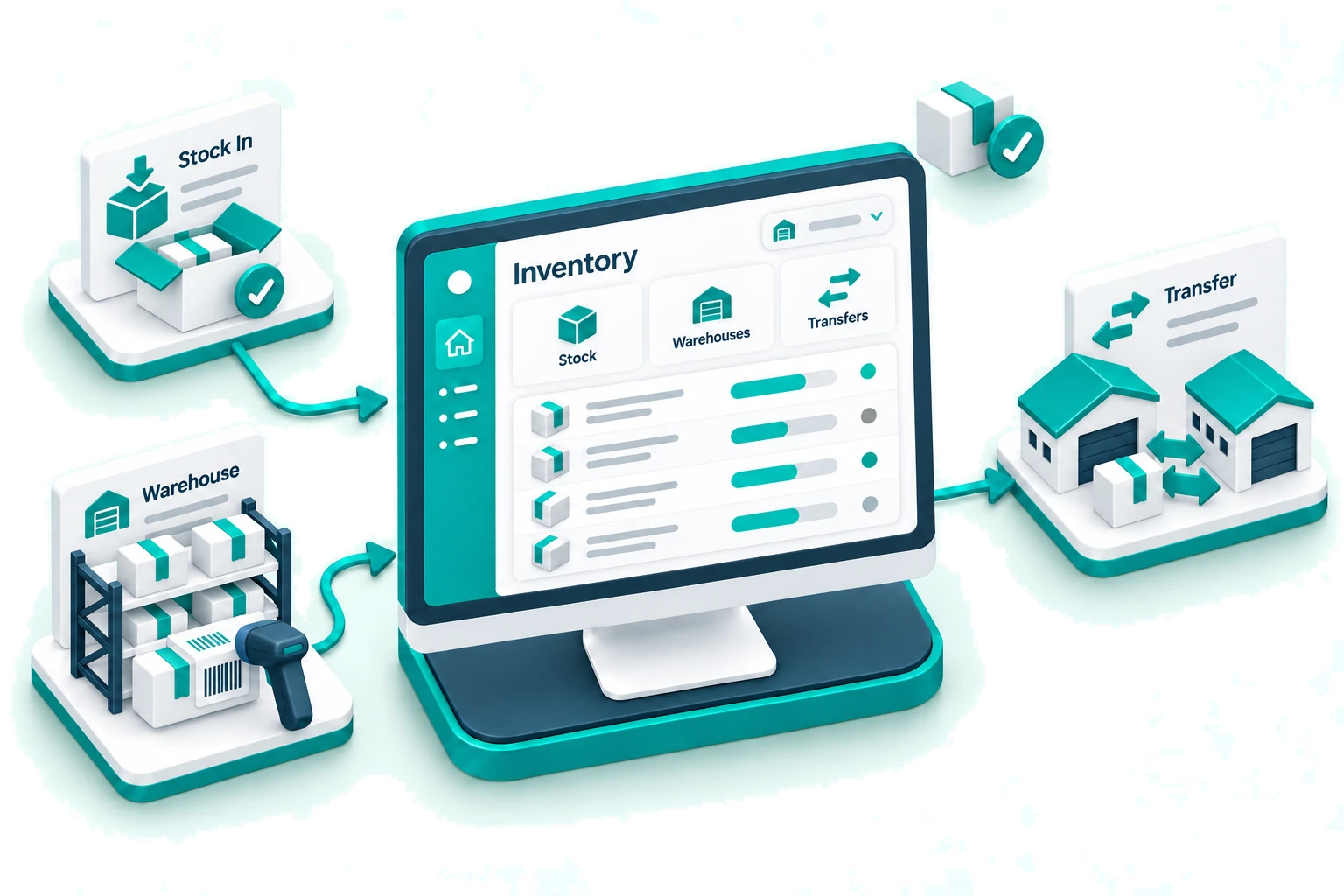
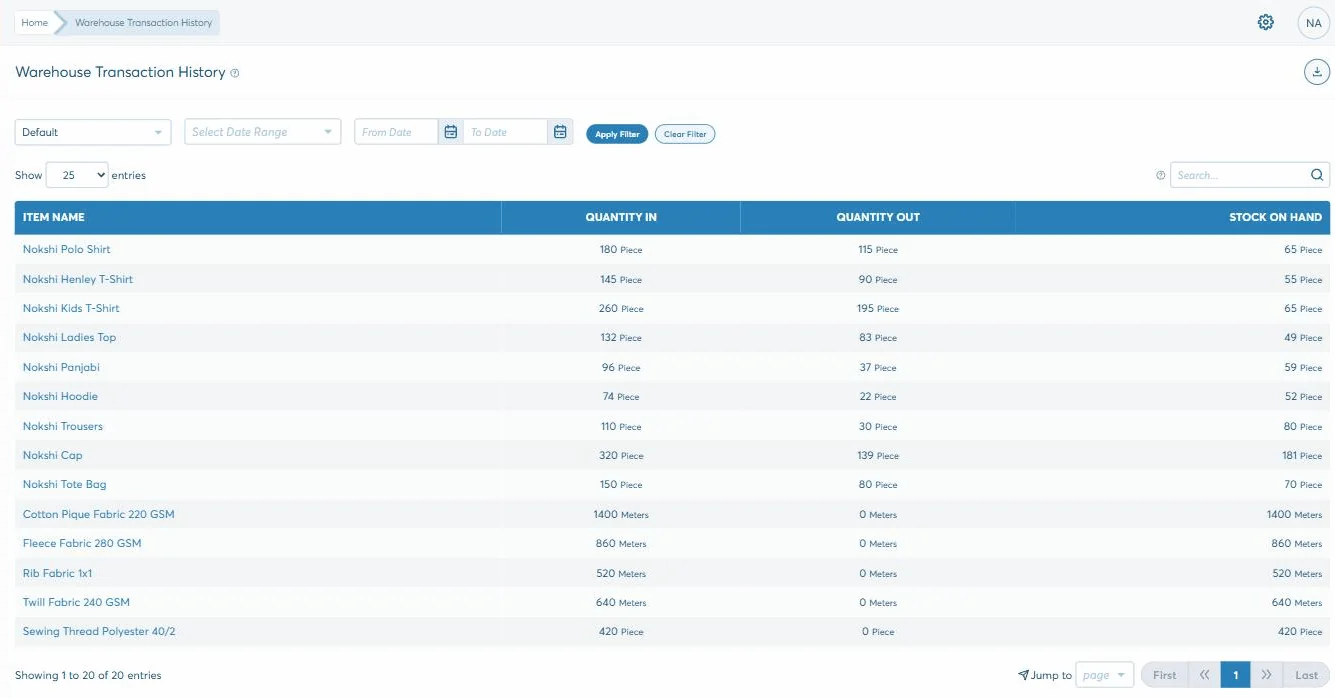
One available figure per item per place, moved by the receipts, production runs and sales that actually happened. Stock only leaves a warehouse on a transfer somebody receives at the other end, and only disappears on an adjustment with a reason on it.
Five things move stock, and all five are somewhere else
Nobody types a stock figure in. It is what is left after everything that happened to the item — which is why the number on this screen is worth trusting and the number on a spreadsheet is not.
Purchase
Goods receipt
Direct purchase
Manufacturing
Raw material consumed
Finished goods transferred in
Sale & POS
Invoice
Counter sale
Return
Stock Movement
Warehouse to warehouse
Stock Adjustment
Damaged in store
Increase or decrease
One available figure
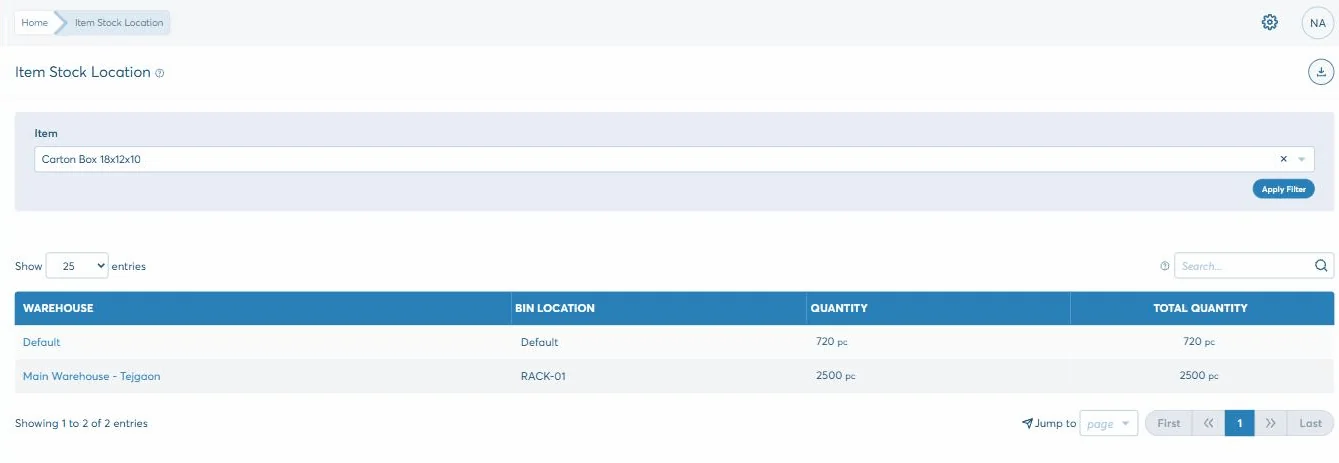
Per item, per warehouse, in that item’s own unit — and the same figure the ledger values as Inventory.
Which is also why there is no "recalculate stock" button. There is nothing to recalculate.
What is in it
Everything the Inventory module covers
Real-Time Inventory Insights
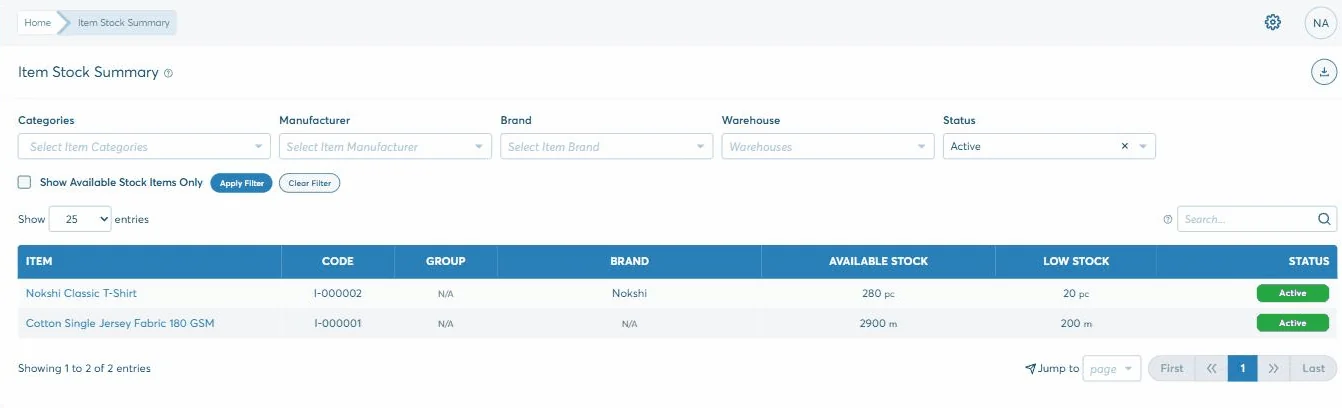
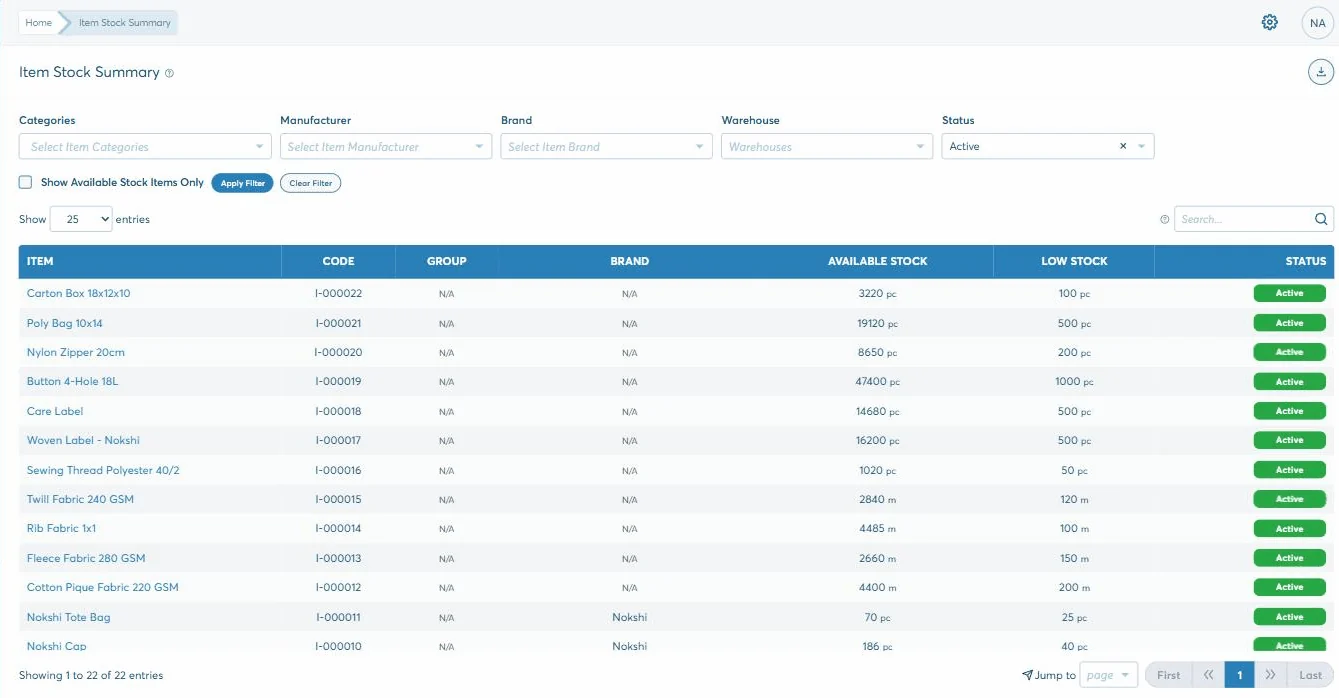
Every item with what is available and the point it counts as low, in that item’s own unit — metres, pieces, whatever it is sold in. Filter by warehouse, category, brand or manufacturer.
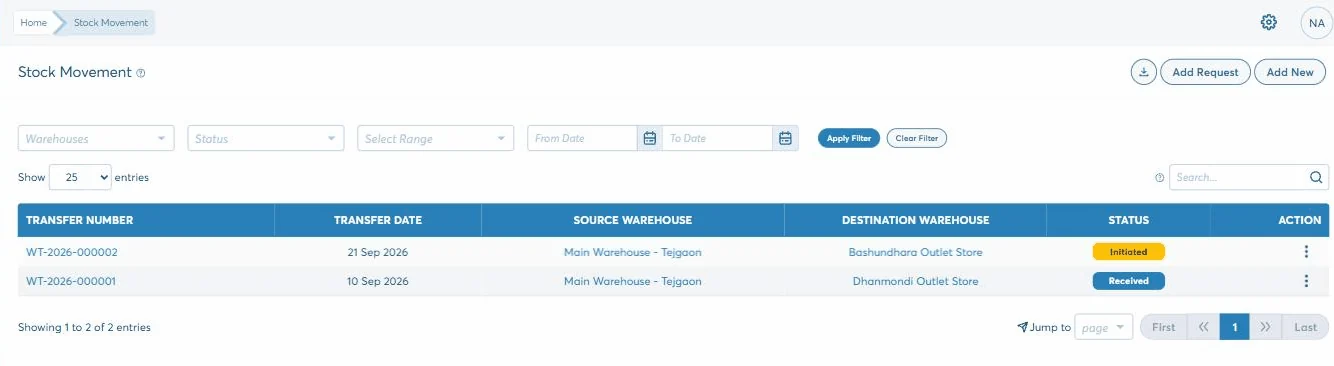
Warehouse to warehouse, as a request from the receiving end or a push from the sending one. It is Requested, then Initiated, then Received — and only the last one changes what is available.
Stock work is mostly looking something up and occasionally admitting something went missing. These are both.
What have we got
Every item with available stock and its low point side by side. Narrow it to one warehouse, one brand or one category, or hide everything that is out of stock.
Warehouse
Category
Brand
Available only
Send it somewhere else
A transfer out of one warehouse and into another — raised as a request by the end that wants it, or pushed by the end that has it.
Source warehouse
Destination
Items
Request or push
Write off what broke
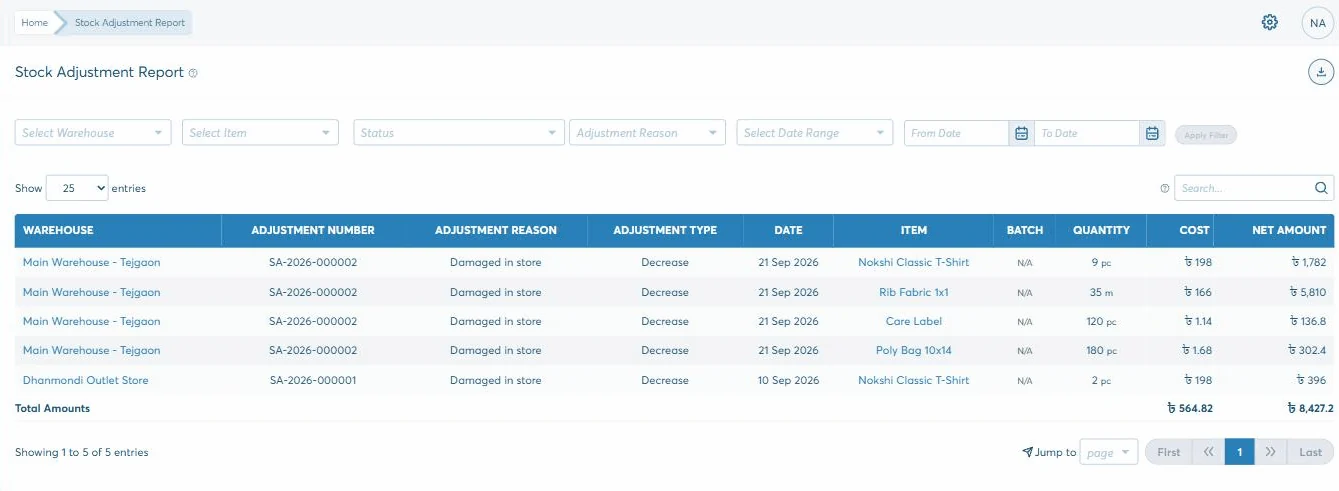
An increase or a decrease against a reason from your own list, in a named warehouse, and it needs approving.
Warehouse
Reason
Increase / decrease
Approve
Keep people to their own shelves
Warehouse access decides who can see and move stock where. It is per user, per warehouse.
User
Warehouse
Access
Available stock and the point each item counts as low — in that item’s own unit, filtered to whichever warehouse you mean.
How it holds
Two things it will not let you pretend
Both are about the same thing: stock that is somewhere between two places, or stock that is gone and nobody has said why.
Stock in transit belongs to neither end
A transfer is not a single act. It is Requested, then Initiated, then Received — and the destination’s available figure does not move until somebody there receives it. So a lorry-load cannot be counted at both ends, and it cannot be sold from the warehouse it has already left.
Total debit48,500.00
Total credit48,500.00
Difference0.00
Stock does not vanish without a reason and an approval
Every adjustment is an increase or a decrease against a reason you defined — damaged in store, wastage, a recount — in a named warehouse, and it has to be approved. Shrinkage stops being a mystery and starts being a list you can total by reason.
Reason
Approved
Applied
Which means the question "where did 40 pieces go" has an answer on the screen rather than an argument in the stockroom.
Why it matters
Why a business stops counting on a spreadsheet
A stock sheet is accurate the day it is written. What it cannot survive is a second warehouse, a night shift, or anyone selling while it is open.
You can say what is in one warehouse, not just what the company owns altogether
Goods on a lorry are counted at neither end until somebody receives them
Writing stock off needs a reason and an approval, so shrinkage has a name
Every item carries its own reorder point, in its own unit — metres, pieces, bundles
A storekeeper sees their own outlet and not anybody else’s
Receipts, production and sales all move the same figure, so nobody keeps a second sheet
What comes out
What you can pull out of it
Every list filters rather than exports, so most of these are a dropdown rather than a report.
Stock summary
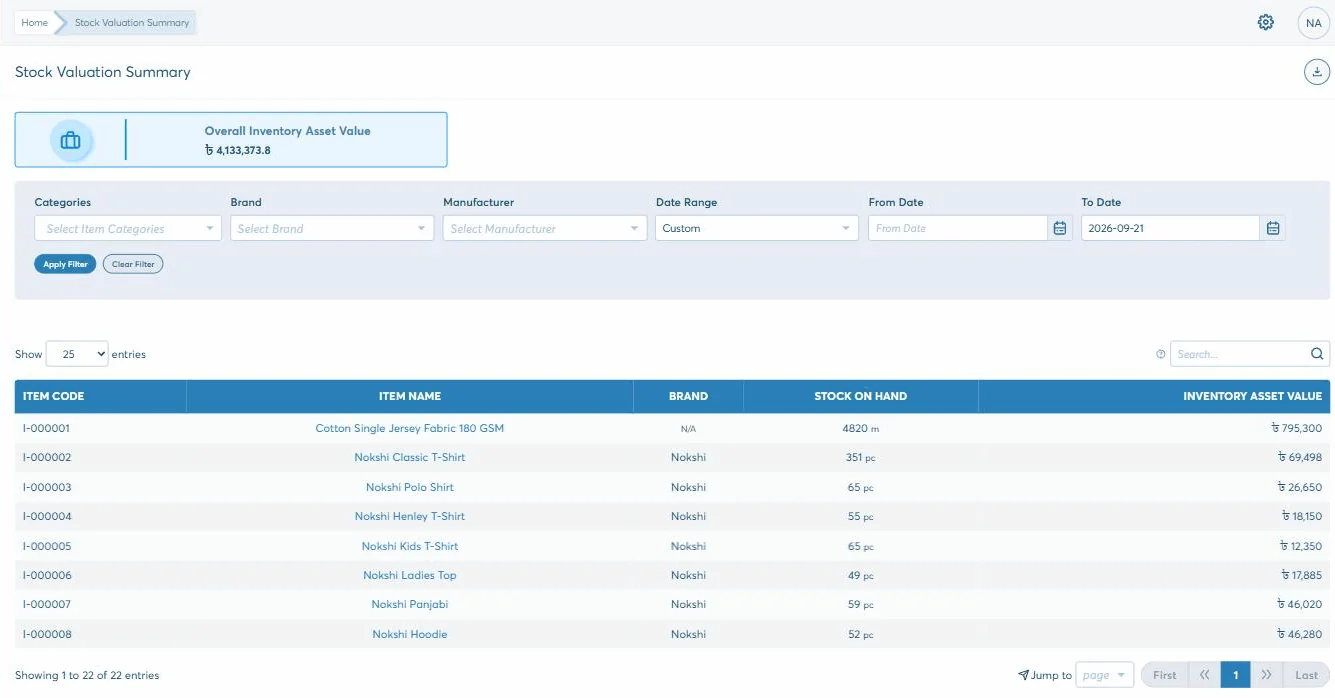
Stock value
Movement in and out
Where it sits
Adjustments
Transfers
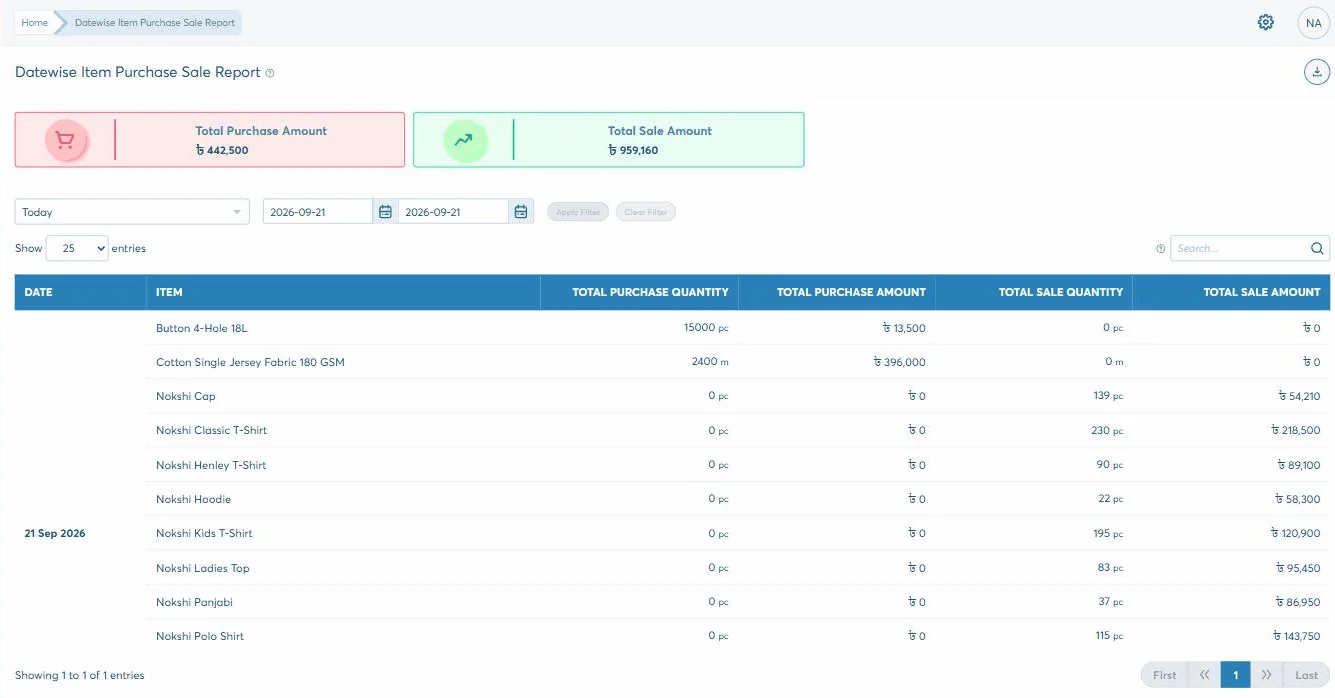
Bought against sold
1 of 7
The last one is not in this module at all — it is the Inventory and Work-In-Process Inventory accounts on the balance sheet, moved by the same receipts and production runs. The count and the value do not drift apart, because nothing updates one without the other.
Getting started
How inventory gets running
How long it takes depends on how you work and what has to come across from wherever it lives now. That is what the second step is for — and nothing is committed before it.
1
Start the trial
30 days, no card, nothing to install. Put a real week of your own work through it rather than a demo of ours.
2
A short discovery
We go through how you actually work — the documents, who should see what, and what has to come across into inventory.
3
Set up and trained
Modules configured to that, roles set screen by screen, and your team taken through the parts they will each use.
4
Live, and still answered
Phone, email or online, from the team that built it. Nobody hands you to a reseller once the invoice is paid.
Questions
What a storekeeper asks about it
Does stock update by itself when I buy or sell?
Yes. A goods receipt or a direct purchase raises it, an invoice or a counter sale takes it down, a production run consumes the raw material and puts the finished item in. None of that is re-typed here — this screen is the result of it.
Can I see one warehouse rather than the whole company?
Yes, and you can decide who else can. The stock summary filters by warehouse, and Warehouse Access sets which warehouses each user can see and move stock in at all.
What stops somebody quietly changing a stock figure?
There is no way to edit the number directly. Changing it means an adjustment: an increase or a decrease, against a reason from your own list, in a named warehouse, and it has to be approved. The adjustment stays on the record afterwards.
Will it warn me before I run out?
Every item carries a low-stock point in its own unit, and the summary shows it in the column beside what is available, so the items that need ordering are visible at a glance. It does not raise a purchase order by itself — buying starts with a requisition somebody approves, which is deliberate.
Can stock be in transit between two warehouses?
That is exactly what a transfer is. It goes Requested, Initiated, Received, and the destination’s available figure only moves on the last step — so stock in the van is not sellable from either end.
Does it do barcodes?
Biznify has barcode templates, under Point of Sale, where you design the label that gets printed. Stock in and out is driven by the documents — receipts, invoices, transfers, adjustments — rather than by scanning in this module.