Purchase software that keeps the whole chain on one line
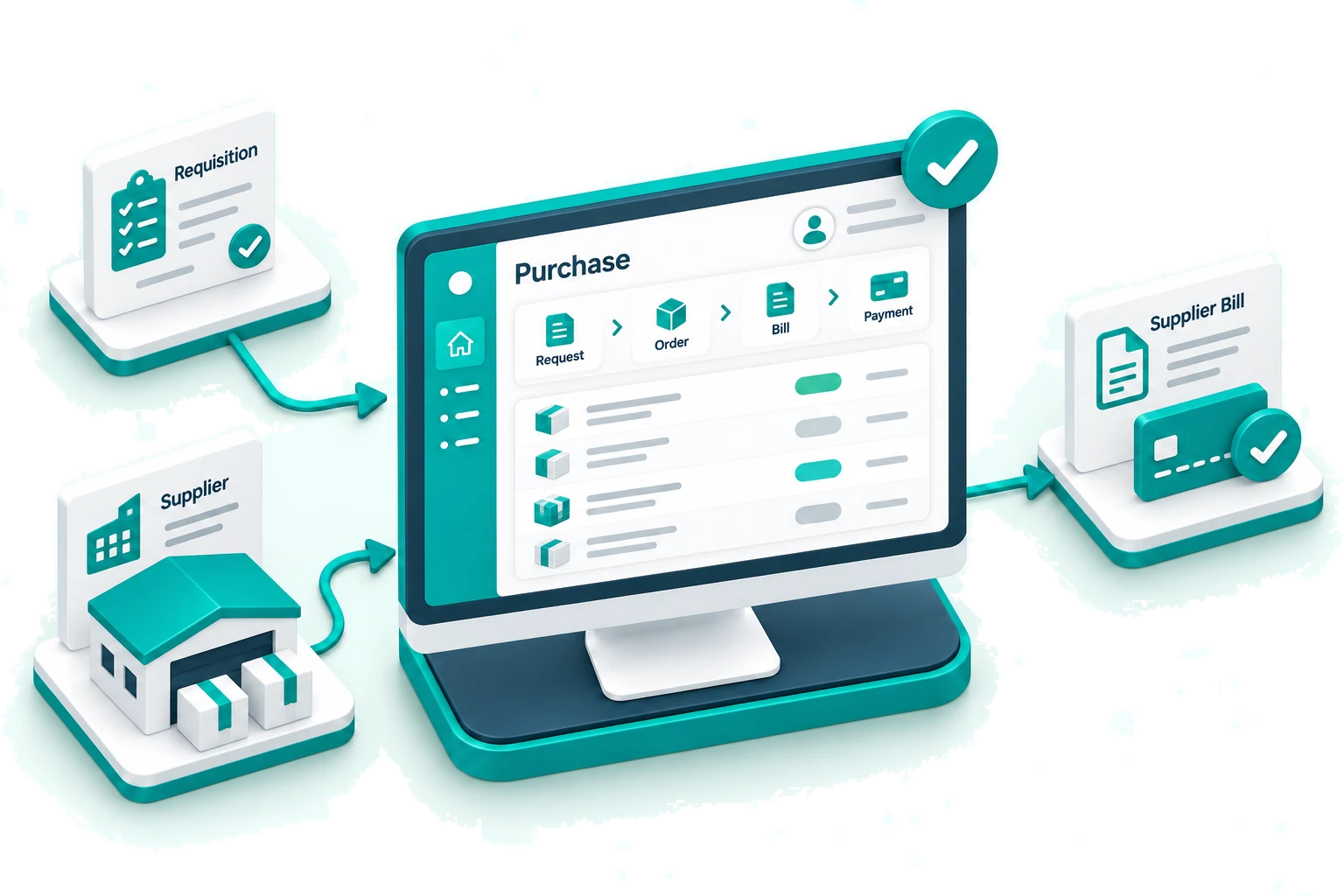
A requisition becomes an order, the order becomes a goods receipt, the receipt becomes a bill. Each one carries the last one’s number — so what was asked for, what turned up and what you were charged for are three columns you can read across, not three people’s memories.
Receiving goods is not a filing exercise. The moment a receipt is entered the stock exists, the liability exists and the cost is attached to the item — without anyone opening another screen.
Inventory
Available stock
Low stock point
Warehouse
Accounting
Accounts Payable
Goods Received Not Invoiced
Inventory
Supplier
Bills outstanding
Payment history
Manufacturing
Raw material in stock
Cost per unit
A purchase order
Raised once, from a requisition somebody approved, against a supplier on your list.
The one thing it does not do on its own is decide the purchase was a good idea. That is what the requisition and its approval are for.
What is in it
Everything the Purchase module covers
Requisition
Somebody asks, somebody approves. The list keeps who requested it and the date it was approved in two separate columns, and the order that follows quotes the requisition number.
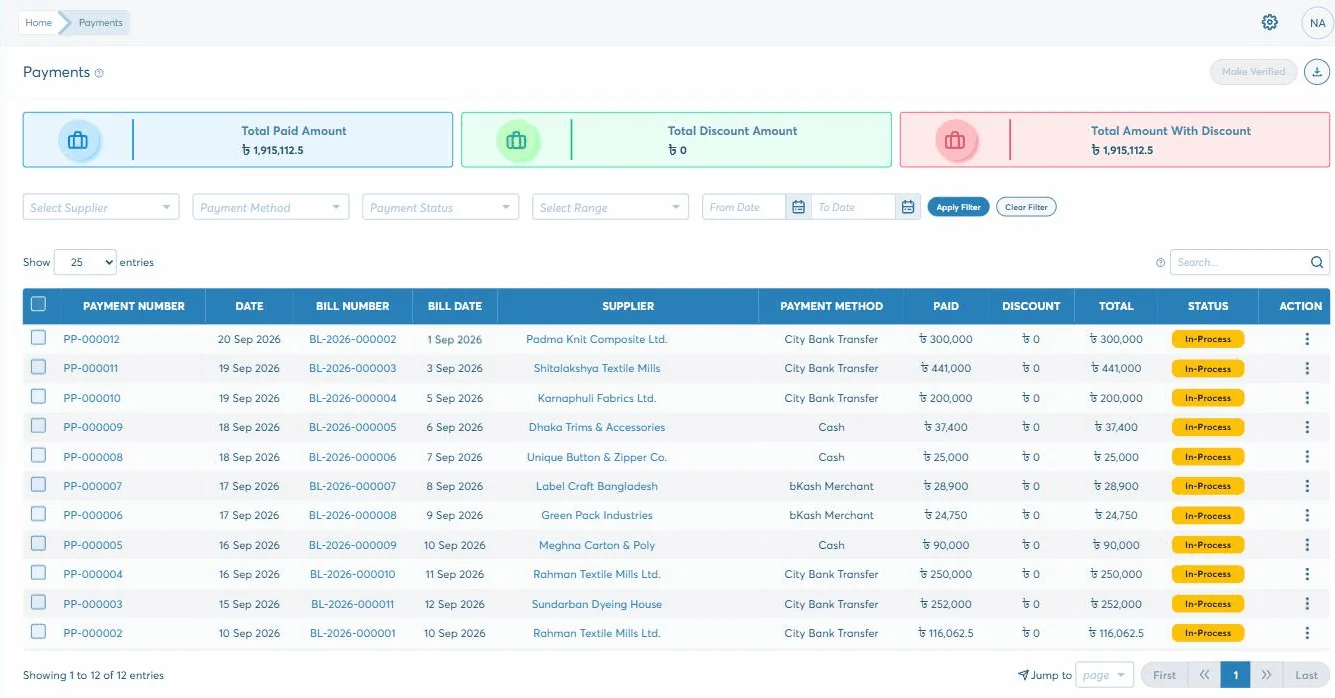
Pay a bill in as many instalments as it takes, by any method. Each payment is recorded first and verified second, so nothing is treated as cleared before it is.
The five documents, and what each one asks you for
Nobody re-keys the line items. Each step opens with the last step’s lines already on it, and you change what actually differed.
Somebody asks
A requisition, with a need-by date per line. It records who requested it and, separately, the date it was approved.
Request date
Item / unit / quantity
Need by date
Draft or approved
You order it
The approved requisition becomes an order against a supplier, still carrying the requisition’s number.
Supplier
Price list
Lines
Notes and terms
It turns up
A goods receipt against the order, so the received quantity can differ from the ordered one and both stay on the record.
Receipt date
Supplier receipt number
Quantity received
Warehouse
You are billed, and you pay
The bill carries VAT, discount and any additional charges. Pay it in one go or in instalments, by whatever method.
Bill date
VAT / discount / charges
Payment method
Verify
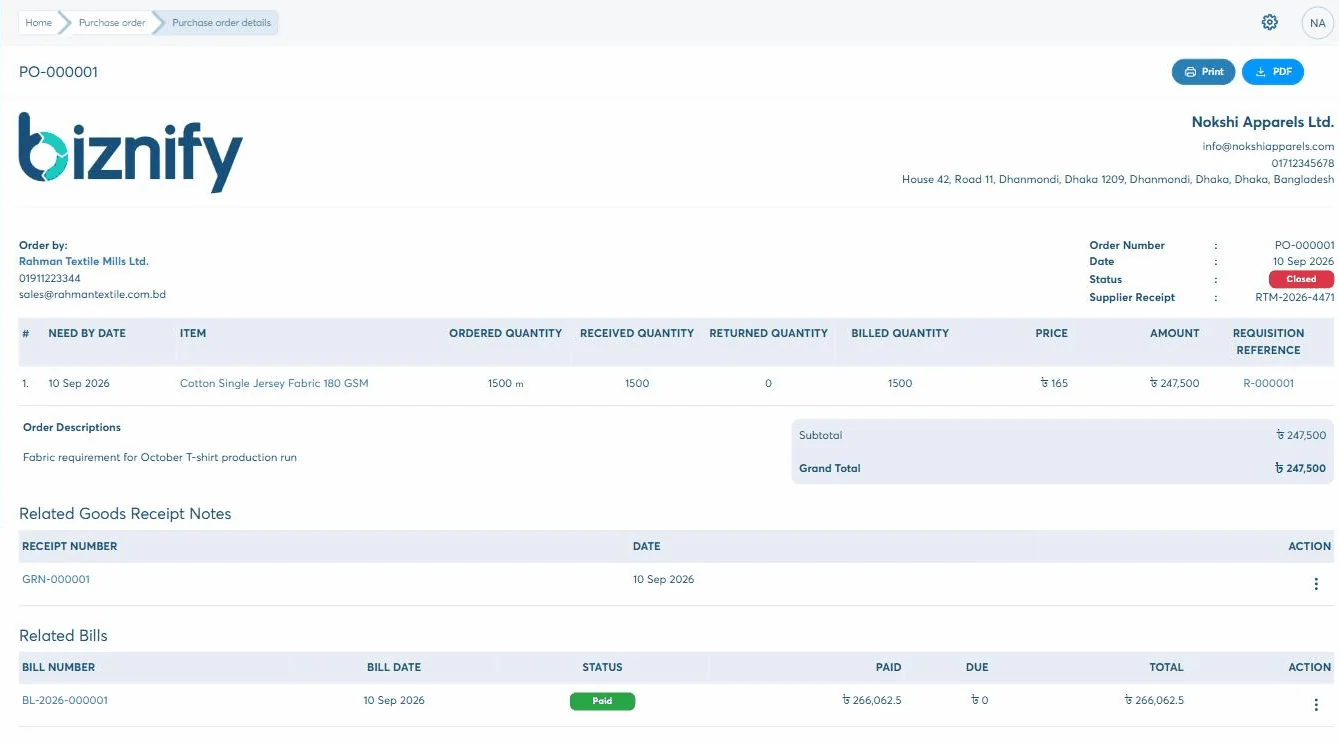
One order: ordered, received, returned and billed side by side — with the requisition it came from and the goods receipt and bill it produced, on the same screen.
How it holds
Two places it refuses to look away
Both of these are ordinary and both are where money goes missing in a business that runs procurement on email and a spreadsheet.
Ordered, received and billed are three different numbers
The order keeps all three on the same line, plus what you sent back. A supplier who ships 1,400 against an order for 1,500 and bills you for 1,500 has nowhere to hide — you are reading the discrepancy, not hunting for it. The bill can legitimately exceed the order, because VAT and additional charges are added at the billing step; the point is that you see by how much.
Total debit48,500.00
Total credit48,500.00
Difference0.00
A payment is recorded first and verified second
Entering a payment does not assert that it cleared. It sits as In-Process until somebody verifies it, which is a separate action and can be a separate person — so the clerk who pays and the person who confirms the bank took it need not be the same one.
Recorded
In-Process
Verified
Bills, direct purchases and returns all take an attachment of up to 5MB, so the supplier’s own paperwork stays with the document.
Why it matters
Why a business moves procurement in here
Buying badly is quiet. Nobody notices the short delivery that was paid in full, or the second payment against a bill that was already settled, until somebody goes looking a quarter later.
Short deliveries show up as a column that disagrees, not as a surprise at year end
Nobody buys without a requisition somebody else approved
A bill cannot be paid twice by accident — the due figure is on the row
Received goods become stock and a liability at the same moment
The supplier’s own receipt number is on your record, so a dispute is one search
Payments wait on a second pair of eyes before they count as cleared
What comes out
What you can see across all of it
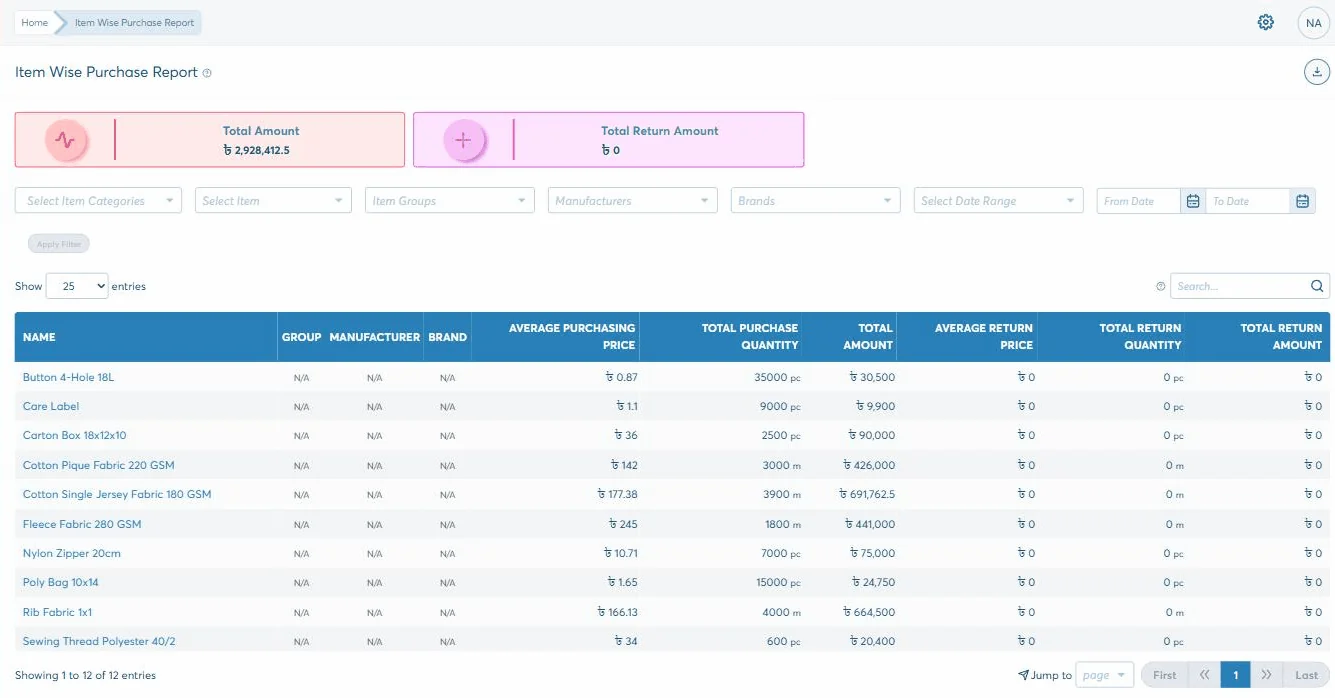
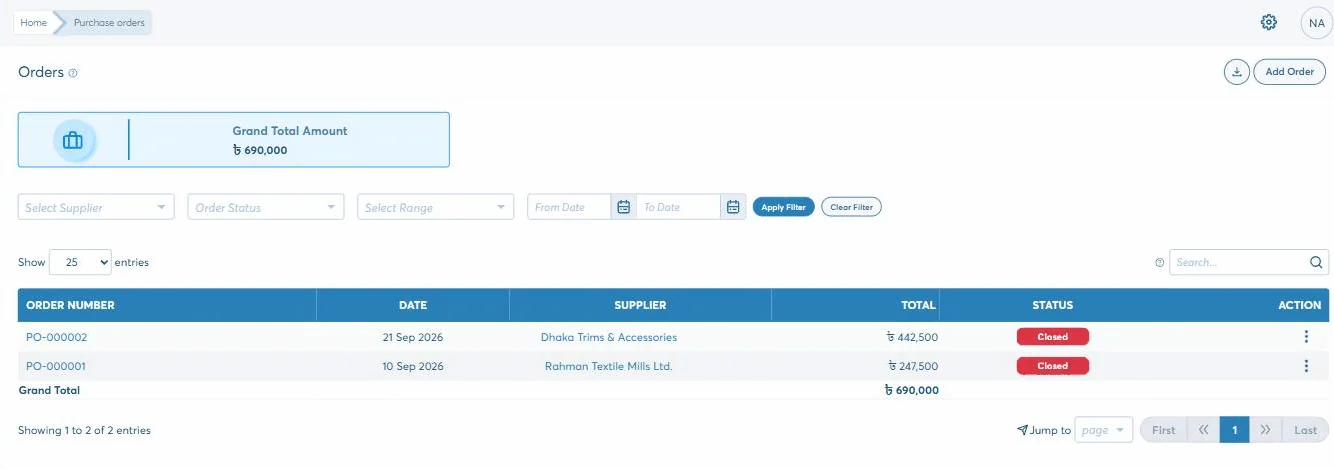
Every list carries its own running totals at the top and its own filters, so the answer is a filter away rather than an export away.
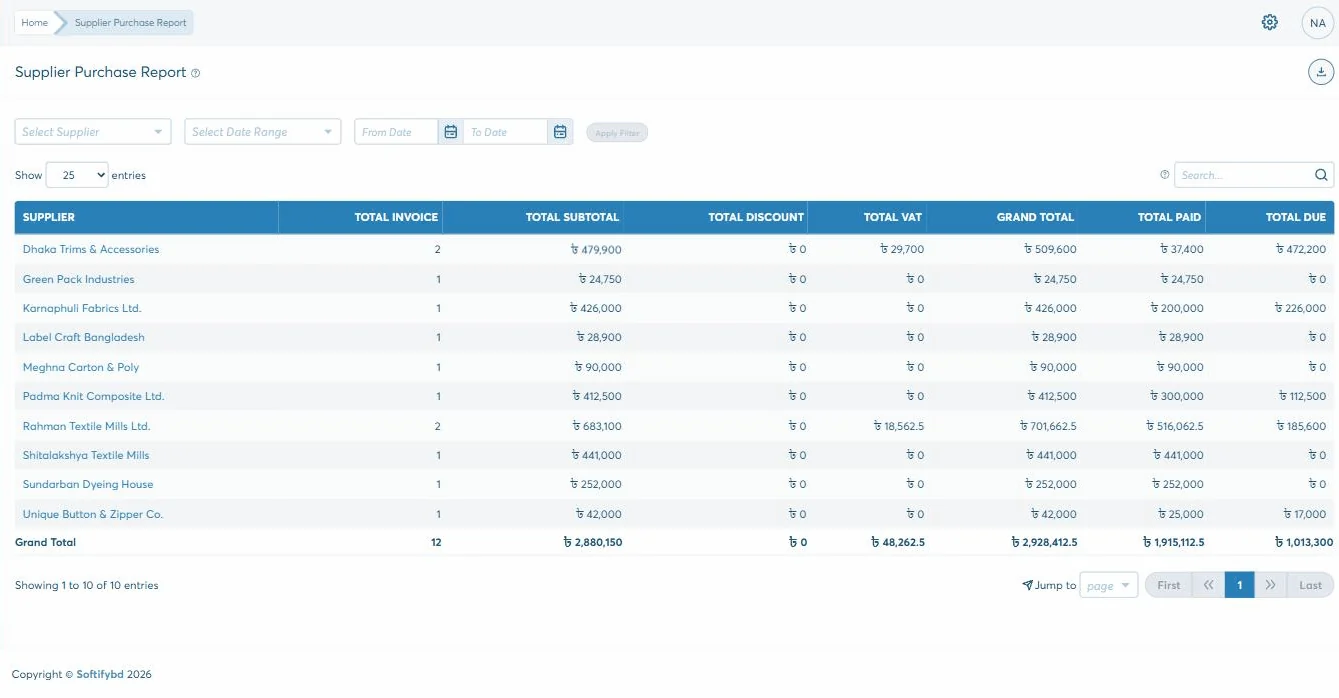
Supplier purchases
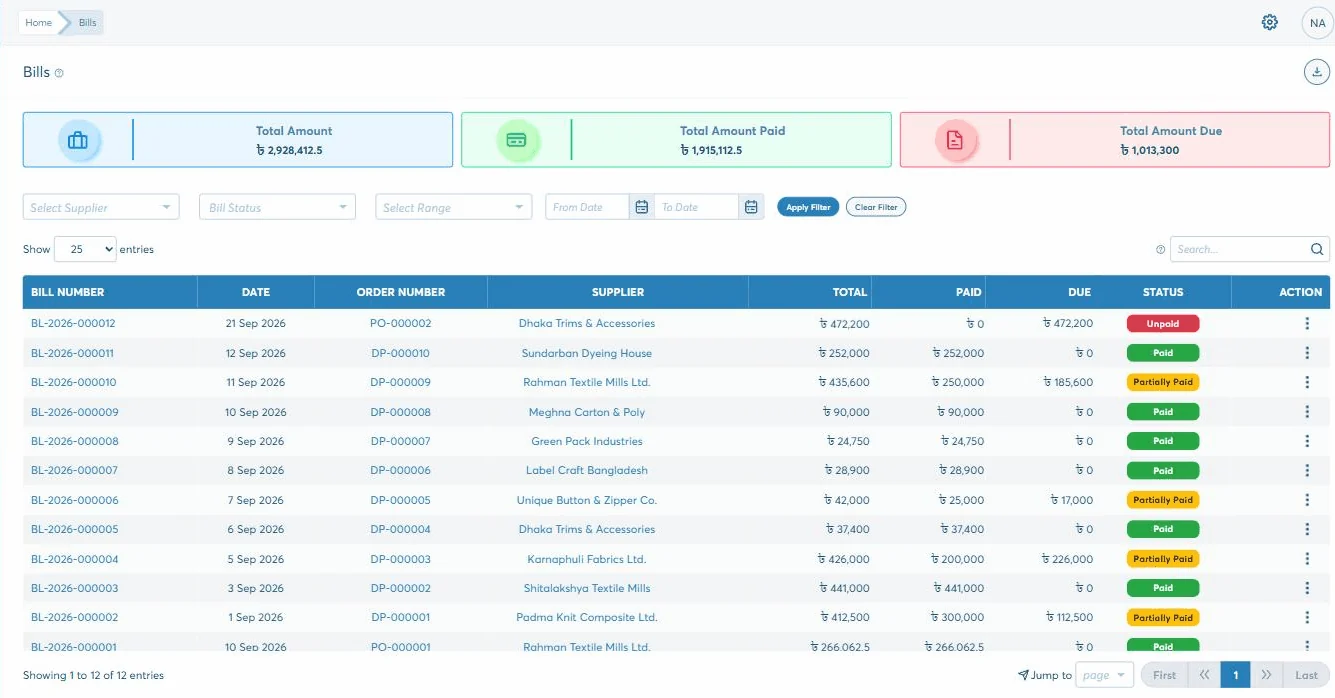
All bills
Payments
Item purchases
Orders
1 of 5
The three figures across the top of All Bills — total, paid and due — respond to whatever you have filtered to. Narrow it to one supplier and you are looking at that supplier’s account without running a report at all.
Getting started
How purchase gets running
How long it takes depends on how you work and what has to come across from wherever it lives now. That is what the second step is for — and nothing is committed before it.
1
Start the trial
30 days, no card, nothing to install. Put a real week of your own work through it rather than a demo of ours.
2
A short discovery
We go through how you actually work — the documents, who should see what, and what has to come across into purchase.
3
Set up and trained
Modules configured to that, roles set screen by screen, and your team taken through the parts they will each use.
4
Live, and still answered
Phone, email or online, from the team that built it. Nobody hands you to a reseller once the invoice is paid.
Questions
What a purchase manager asks about it
Can I see what was ordered against what actually arrived?
That is the order screen’s default view. Every line carries ordered, received, returned and billed quantities side by side, and the order stays open while they disagree.
Do I have to raise a requisition before I can order?
You can go straight to an order, or skip both and enter a direct bill for a purchase that never had one. Where a requisition is used, the order quotes its number and the requisition records who asked and when it was approved.
Why is the bill larger than the order?
Because VAT, discount and additional charges are applied at the billing step rather than the ordering one. Both figures stay visible against the same order, which is the point — you can see exactly what was added after you agreed the price.
Can one bill be paid in instalments?
Yes, and each instalment is its own record with its own method and status. The bill row shows the total, what has been paid and what is still due, so a part-paid bill cannot be mistaken for a settled one.
Who confirms that a payment actually went out?
A recorded payment sits as In-Process until it is verified, which is a separate action. That lets the person who enters payments and the person who confirms the bank took them be two different people, without anything extra to configure.
Does receiving goods update stock and the accounts by itself?
Yes. A goods receipt raises available stock in the warehouse it was received into and posts the liability to the ledger at the same time. Nobody re-types it into inventory or into accounting.