It will not take an entry that does not balance
Every line you add moves a running total of debits, a running total of credits, and the difference between them. While that difference is anything but zero, the entry is not going in.
Features
Solutions
Sales, purchases and payments arrive here as entries, not as a list somebody re-types. What you add by hand has to balance before it will save — and once it is approved, nobody can quietly change it.
Where it comes from
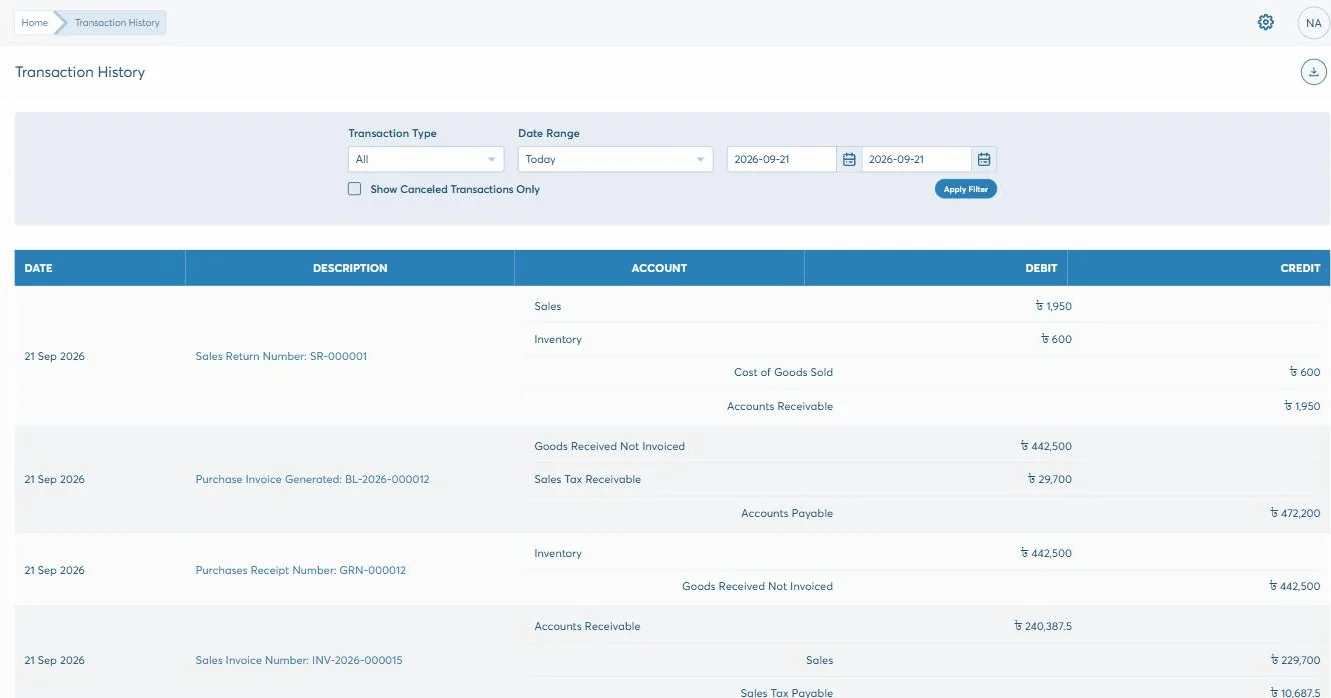
An invoice, a receipt, a goods-received note and a payslip are all accounting entries as far as the ledger is concerned. In Biznify they are made where the work happens and land here as postings — which is why the chart of accounts has names on it that no bookkeeper opens by hand.
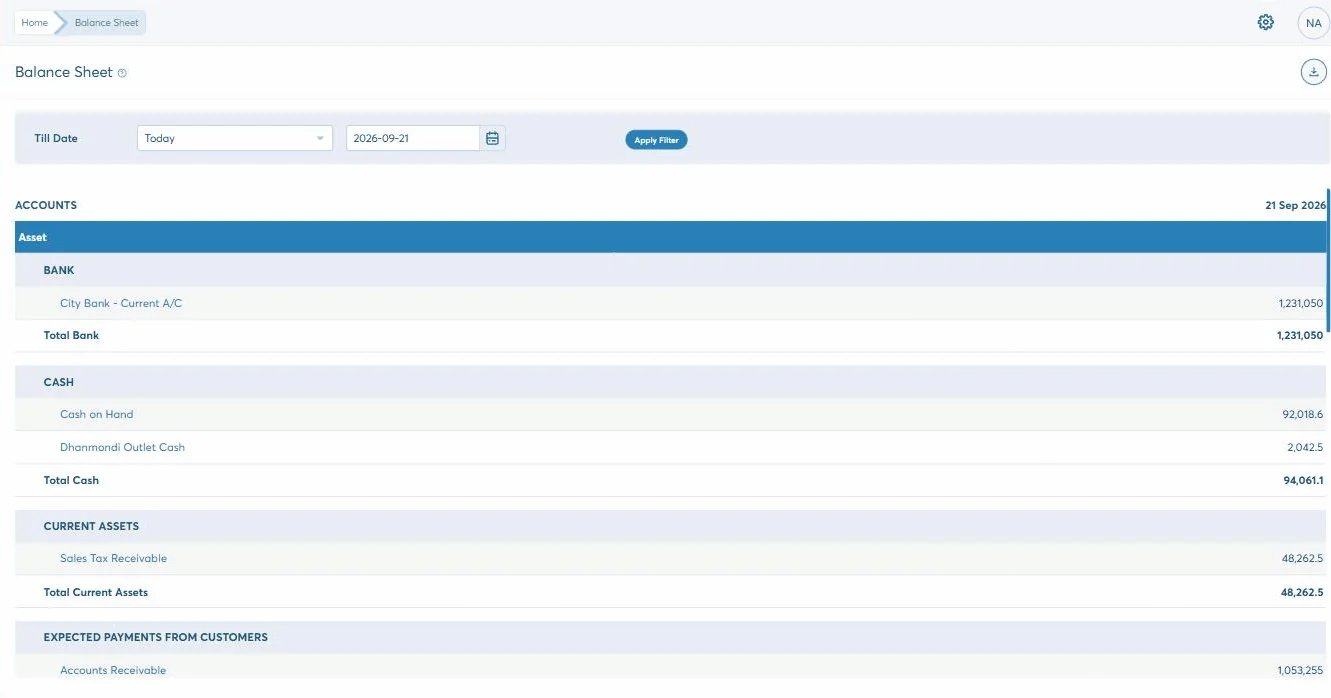
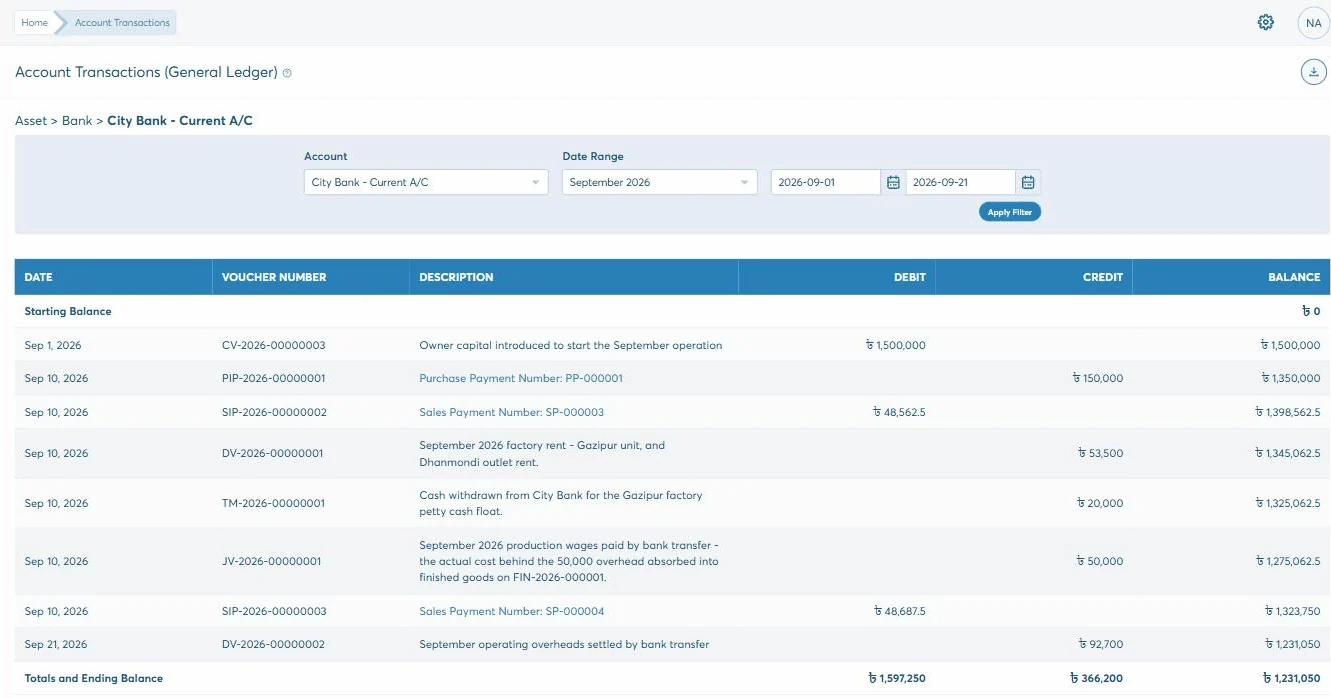
Every posting above lands in the same chart of accounts as the entries you make by hand, under the same five classes, and comes out in the same nine reports.
What is left for accounting to enter by hand is the part that has no document behind it anywhere else in the business — an adjustment, a depreciation, an opening balance.
What is in it
Five classes — asset, liability, owner’s equity, income and expense — with your own accounts grouped under each, and a new one opened from inside the group it belongs to.
See how it worksAs many debit and credit lines as the entry takes, with a running difference at the foot. Save it as a draft to come back to, or approve it and let it take its number.
See how it worksOne form each way round: the account the money moved through, then the categories it broke down into — and the receipt attached to the entry itself.
See how it worksRent, salaries and subscriptions set to repeat every so many days, months or years. The list shows each one’s last run and whether it is still active.
See how it worksOne account out and as many accounts in as you need, on a single voucher — with the same difference counter making sure the legs add up.
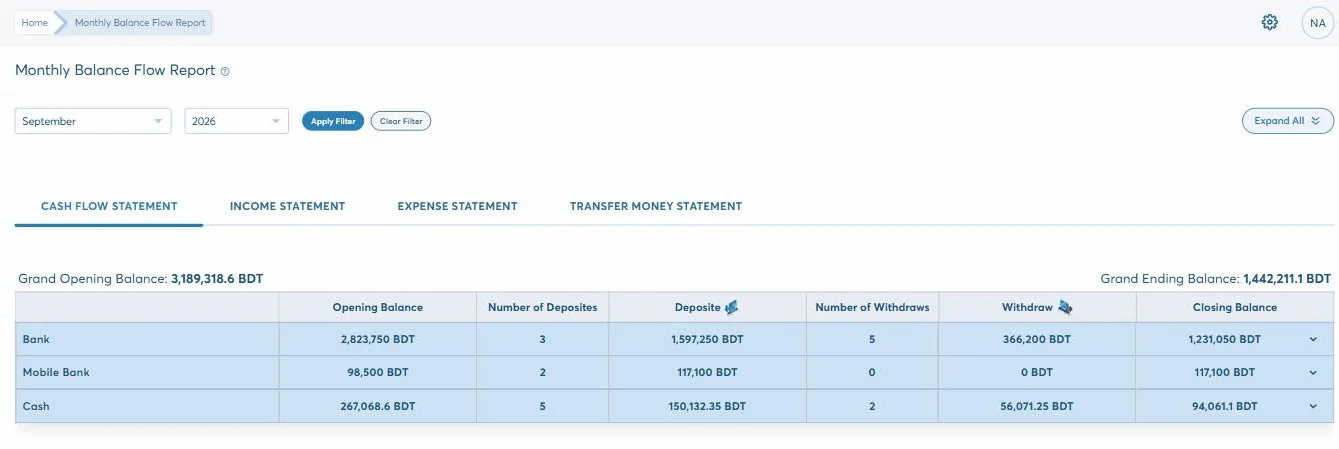
See how it worksNine of them, from the trial balance to balance flow by day, month and year. Each has its own filters, its own tab and a download button.
See how it worksDay to day
Four screens carry almost all of it. Each one asks for the same few things and will not let you save until the entry balances.
Pick the account it came from, then list what it went on — rent, fuel, three things at once if that is how the receipt reads.
The same form the other way round: the account it landed in, then the categories it came under.
For everything that is neither: as many debit and credit lines as it takes, with a running difference at the bottom.
One account out, as many in as you need — a single voucher for a transfer that splits, rather than one for each leg.
How it holds
Most of what an accounting module is worth is in what it refuses to do. These are the two refusals.
Every line you add moves a running total of debits, a running total of credits, and the difference between them. While that difference is anything but zero, the entry is not going in.
A draft is yours to change. The moment it is approved it takes its number — JV-2026-00000001, and on from there — and the edit option is gone. A mistake is corrected by a cancellation that stays on the record, not by quietly rewriting what happened.
Any of the three can carry up to 5MB of the paperwork it came from, so the receipt is on the entry rather than in a drawer.
Why it matters
A ledger package gives you somewhere to type the month up after it has happened. This is the same ledger with the rest of the business already posting into it, and a few things it will not let anyone do.
What comes out
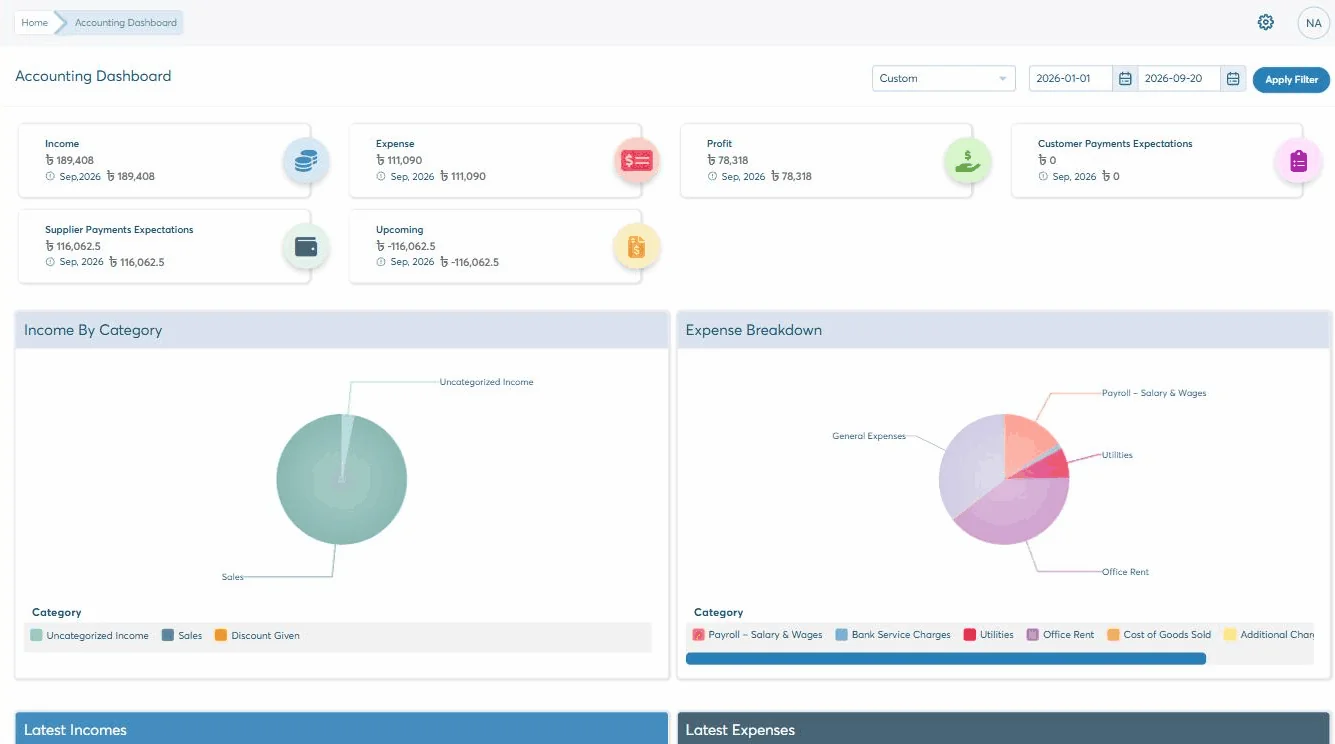
There are nine in the reports centre. These are the seven that get opened — each in its own tab, with its own filters and a download button. Star the ones you run every week and they sit at the top.
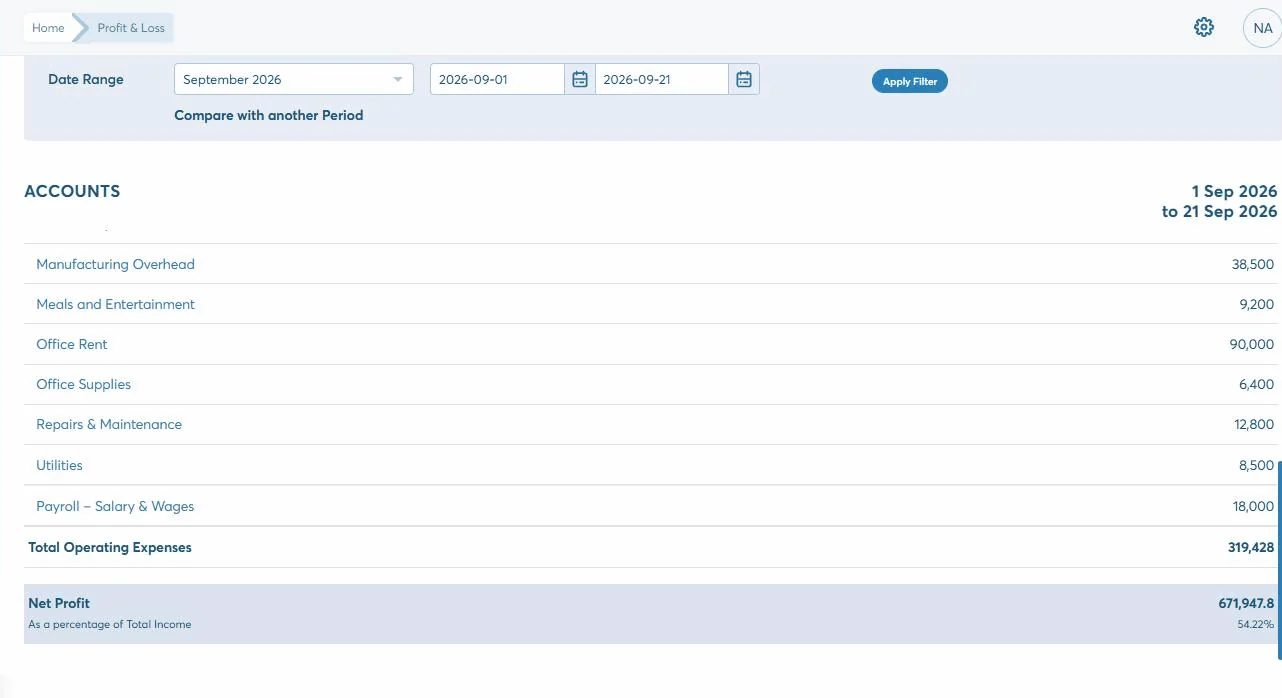
1 of 7
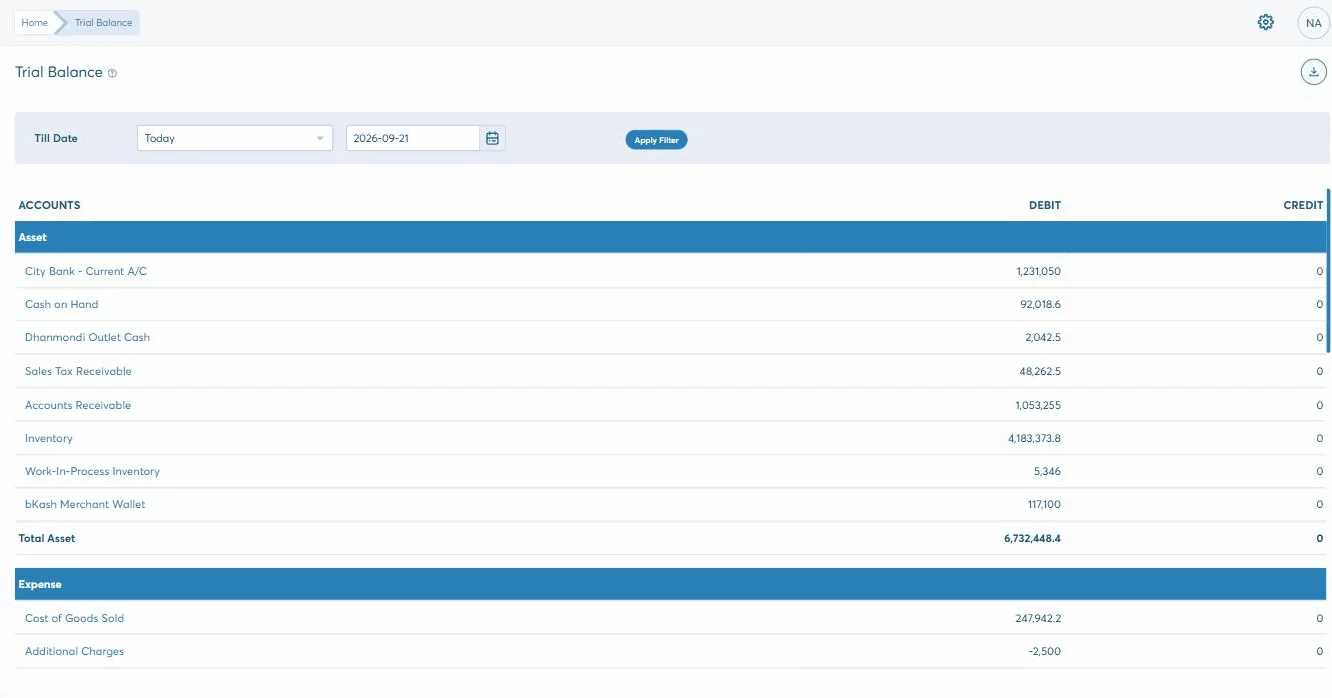
The Trial Balance groups every account by class, subtotals each one and ends on a single total for all of them. If the books are straight, the debit and credit columns come out identical — which is the one number worth checking before you trust any of the others.
Getting started
How long it takes depends on how you work and what has to come across from wherever it lives now. That is what the second step is for — and nothing is committed before it.
30 days, no card, nothing to install. Put a real week of your own work through it rather than a demo of ours.
We go through how you actually work — the documents, who should see what, and what has to come across into accounting.
Modules configured to that, roles set screen by screen, and your team taken through the parts they will each use.
Phone, email or online, from the team that built it. Nobody hands you to a reseller once the invoice is paid.
Questions
No. A draft is yours to edit or delete, but approval assigns the entry its reference number and takes the edit option away — the only action left is to cancel it, and the cancellation stays on the record. Nothing is silently rewritten.
Every voucher form keeps a running total of debits, a running total of credits and the difference between them. While that difference is anything other than zero the entry cannot be saved, as a draft or as an approved entry.
Yes. Journals, expenses, incomes and internal transfers all take an attachment of up to 5MB — PDF, image or spreadsheet — so the paper the entry came from is on the entry rather than in a drawer.
Yes, through recurring journals. You set the amount, the accounts it moves between and how often to repeat it — a number, then days, months or years. The list shows each one’s last transaction date and whether it is still active, so nothing runs on unnoticed.
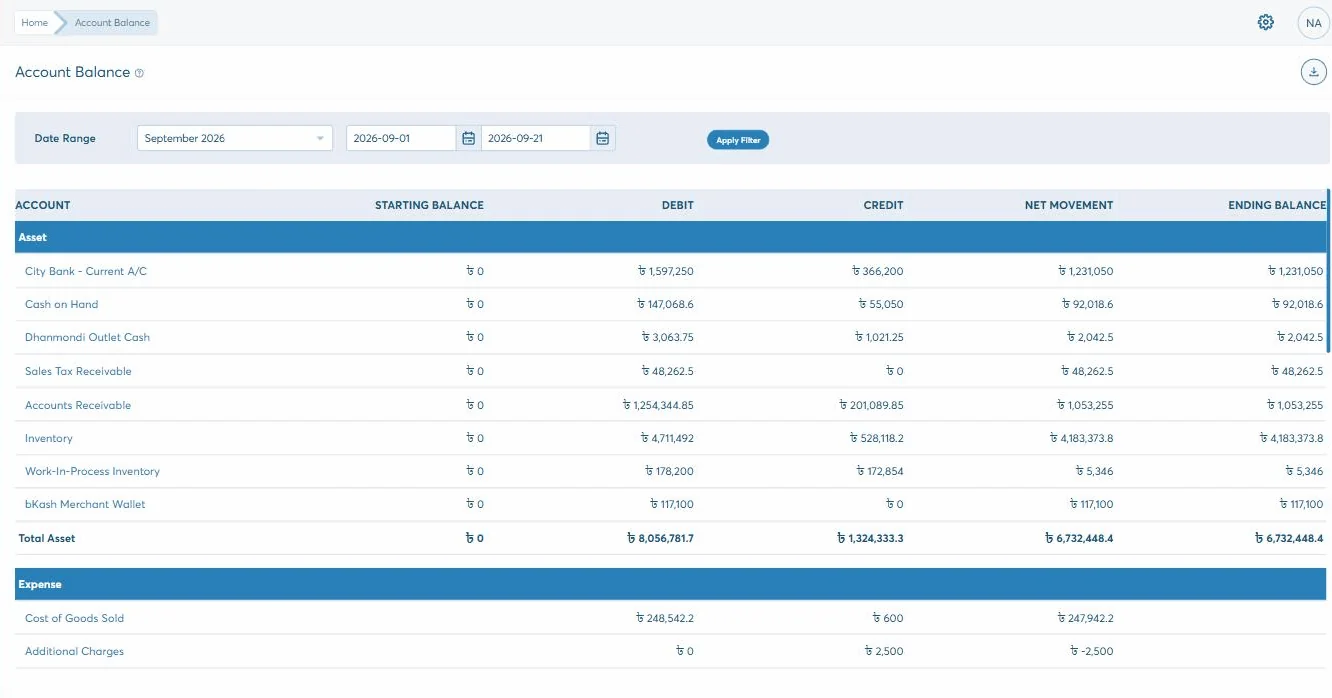
Nine: Trial Balance, Balance Sheet, Profit and Loss, General Ledger, Account Balance, Transaction History, and balance flow by day, month and year. Each opens in its own tab with its own filters and a download button, and any of them can be starred to keep it to hand.
Yes. Every screen carries its own view, create, update and delete boxes, ticked per role, so a counter operator can raise a sale without reaching the ledger or the purchase price. Each role also has its own landing page — an accountant opens on the accounting dashboard.
The rest of it
Start the trial and put a week of real work through it, or have us walk you through accounting against the way you already do it.