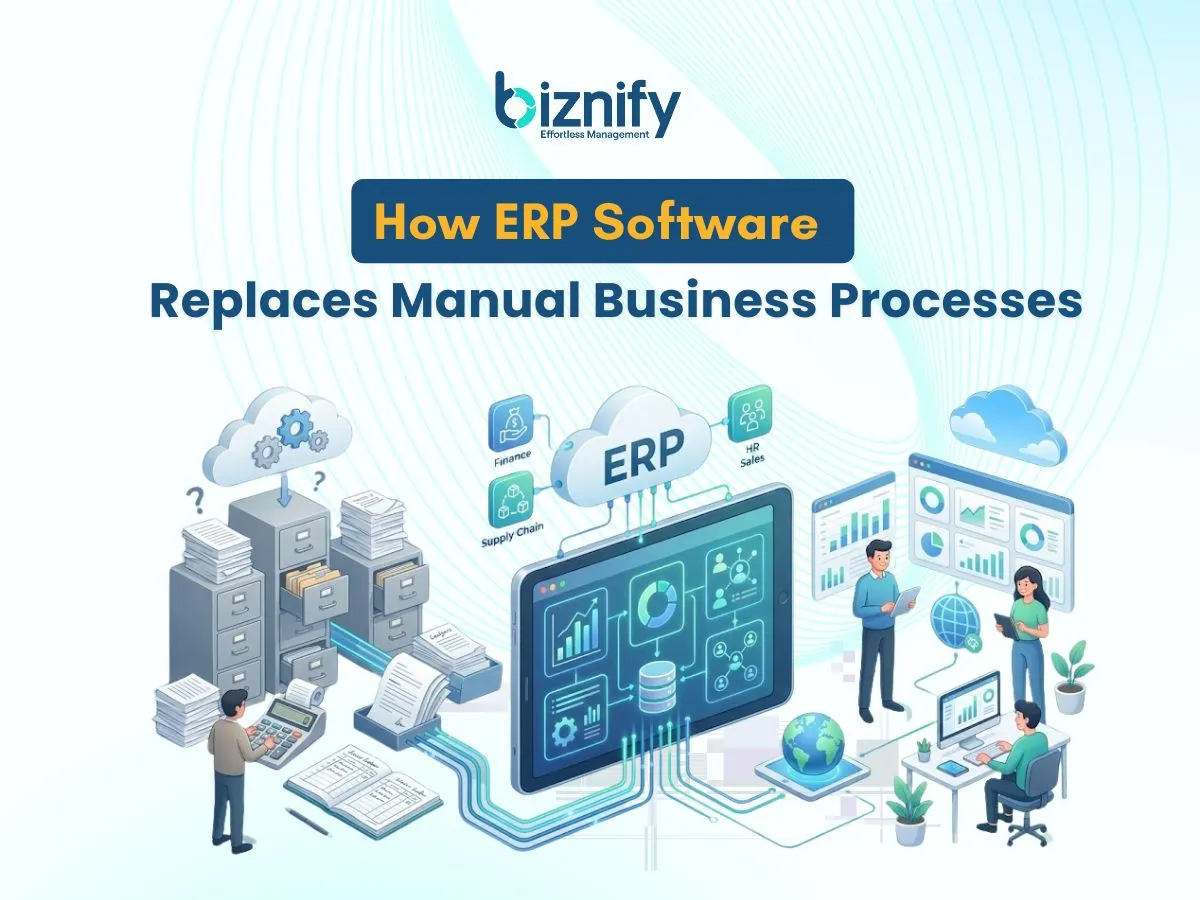
ERP software replaces manual business processes by automating how daily work is done. It reduces the need for people to track data across many files and tools. Work flows through the system in a structured way.
The system captures information once and uses it across related tasks. Teams do not need to repeat the same work in different places. This helps businesses run operations in a more organized manner.
What Manual Business Processes Are
Manual business processes are tasks that depend on people to record and move information by hand. These tasks often use spreadsheets, paper files, phone calls, or email approvals. Each step depends on someone taking action.
For example, a staff member enters data in a spreadsheet and then sends it by email. Another person copies the same data into a report. This repetition increases workload and slows progress.
As businesses grow, these processes become harder to manage. Small mistakes start to appear more often. Teams struggle to keep information updated and accurate.
How Manual Processes Create Delays and Errors?
Manual processes cause delays because work stops until someone completes the next step. If a person is busy or unavailable, the task waits. This slows down the entire workflow.
Errors happen when the same data is entered many times. A small mistake can spread across reports and approvals. Fixing these errors takes extra time and effort.
Coordination also becomes difficult as more people handle the same information. Teams lose trust in reports and daily updates. Decisions become harder to make with confidence.
What ERP Software Does Instead of Manual Work?
ERP software keeps business data in one shared system. Information is recorded once and used across related processes automatically. Teams no longer need to transfer data by hand.
When a task is completed, the system updates connected records on its own. Work follows clear steps instead of informal instructions. This reduces confusion and missed actions.
ERP replaces scattered files and messages with a consistent workflow. Operations become easier to track and control. Businesses can manage growth without increasing manual effort
How ERP Software Replaces Manual Processes Step by Step
ERP software removes manual work by changing how tasks move through a business. The system captures data at the point where work starts. This may happen during an order, a request, or a basic entry.
Next, the same data moves through connected steps automatically. Teams do not send files or messages to continue the work. The system controls the process using clear rules.
Finally, the process ends with complete and updated records. Reports reflect real activity without extra effort. Manual actions disappear because the system manages the full flow.
How ERP Replaces Manual Accounting Tasks?
ERP replaces manual accounting by automating how financial data moves. Invoices are created directly from daily business activity. There is no need to enter the same details again.
Expenses are recorded once and linked to the right records. The system updates related entries on its own. This removes delays caused by back and forth communication.
Reports are created from stored data inside the system. Teams do not collect numbers from different files. For example, one expense entry appears in all related reports.
This process keeps accounting work clear and consistent. Errors reduce because data is not copied many times. Teams spend more time reviewing results.
How ERP Replaces Manual Inventory Tracking?
ERP replaces manual inventory tracking by updating stock automatically. When items move, the system records the change right away. There is no need to update sheets or written logs.
Stock levels stay visible across the business. Alerts appear when items reach a low point. Teams can act before problems grow.
Item movement follows a clear process inside the system. Sales, returns, and transfers update stock together. For example, one stock change updates all related records.
Inventory control becomes more reliable. Teams trust the data they see. Planning becomes easier.
How ERP Replaces Manual Sales and Order Handling?
ERP replaces manual sales work by connecting orders with records. Orders are entered once and stored in a shared system. Teams do not pass details through messages or files.
When an order moves forward, billing updates automatically. Customer records stay current without extra steps. Sales and finance teams use the same information.
Order progress stays visible at each stage. Teams know what is pending and what is complete. This reduces confusion and follow ups.
Sales work becomes easier to manage. Tasks move faster between teams. Customers receive clear updates.
How ERP Replaces Manual HR and Payroll Records?
ERP replaces manual HR work by keeping employee data in one place. Attendance updates based on daily activity. There is no need to collect separate records.
Payroll uses the same attendance and employee information. Salary details are prepared without repeated checking. This reduces mistakes from missing data.
Employee records stay consistent across HR tasks. Updates apply everywhere at the same time. Teams avoid confusion from old information.
HR work follows a simple and clear flow. Management becomes easier as teams grow. Manual record keeping is no longer needed.
Manual Processes vs ERP Software
This comparison shows how daily work changes when a business moves from manual processes to ERP software. Manual methods depend on people and separate tools, while ERP software uses one system to manage work from start to finish. As operations grow, the difference becomes more visible.
Comparison Table
| Area | Manual Business Process | ERP Software |
| Data entry | Entered many times in different files | Entered once and reused |
| Speed | Work waits for people | Work moves automatically |
| Errors | High chance of mistakes | Fewer errors |
| Visibility | Information is scattered | Information stays in one place |
| Team Coordination | Depends on calls and messages | Shared system for all teams |
| Tracking | Hard to track progress | Easy to monitor tasks |
| Growth Handaling | Becomes harder as work grows | Scales with business growth |
This table explains why manual work becomes difficult to manage over time. ERP software brings structure and control to daily operations.
How Businesses Move from Manual Work to ERP Systems?
Businesses move to ERP systems in simple stages. First, they identify tasks that take the most time. These tasks become the starting point for change.
Next, teams learn how daily work flows inside the system. Training focuses on routine actions, not technical details. Staff gain confidence as work becomes easier.
Over time, more tasks move into the system. Manual steps reduce naturally. The transition feels steady and manageable instead of sudden or disruptive.
How Biznify Replaces Manual Business Processes?
Biznify replaces manual business processes by organising work into clear system flows. Data moves through connected tasks without manual handovers. Teams stop relying on scattered files and messages.
Daily operations follow defined steps inside the system. Records stay updated as work progresses. This removes confusion and missed actions.
Biznify supports growing businesses by replacing manual effort with structured workflows. Work becomes easier to track and control. Teams focus on results instead of routine tasks.
Frequently Asked Questions
1. What problems does ERP software solve for small businesses?
ERP software solves problems caused by repeated data entry and scattered information. It keeps records in one place and reduces confusion. Small businesses gain better control over daily work and improve accuracy across tasks.
2. Is ERP software difficult for employees to use?
ERP software is designed for daily business users. Tasks follow clear steps and simple screens. With basic guidance, employees adapt quickly and complete work with less effort.
3. Can ERP software work with existing business processes?
ERP software replaces manual steps without forcing sudden change. Businesses move tasks into the system gradually. This helps teams adjust while keeping work running smoothly.
4. Does ERP software help with daily decision making?
ERP software supports decisions by showing current data in dashboards and reports. Managers see what is happening now. This helps them respond faster and manage operations better.